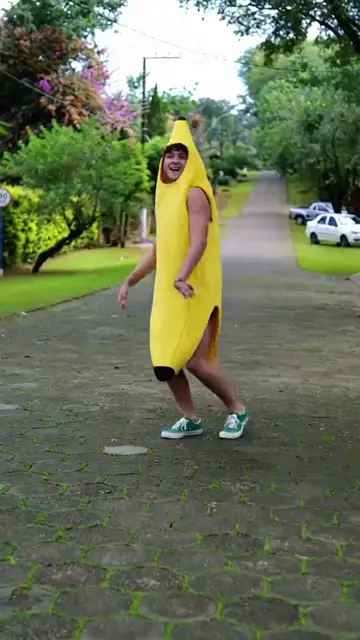
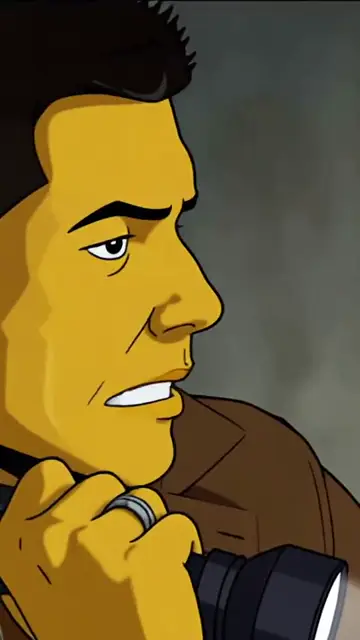
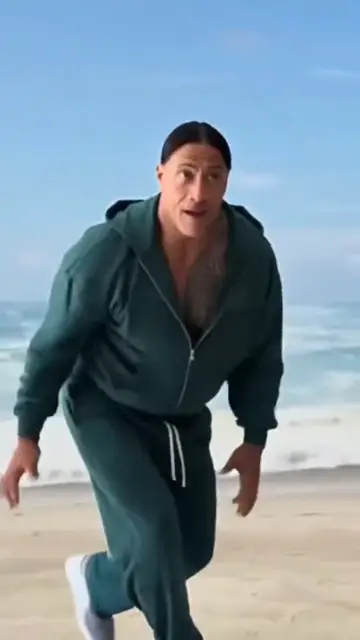
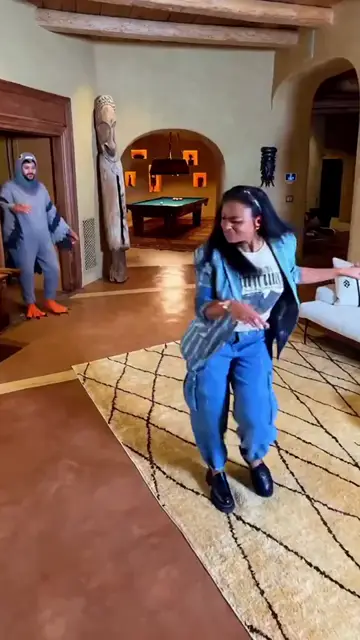
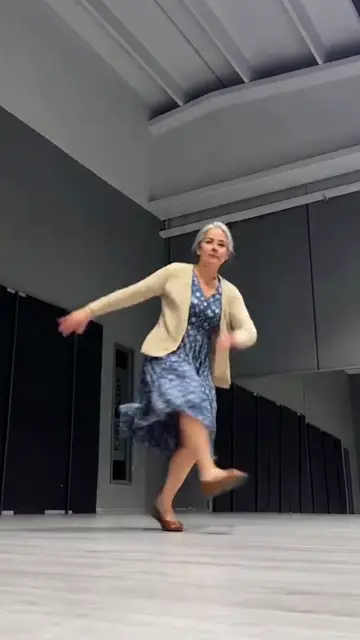
“add the banana character in place of the person dancing”
Katchau, the character swap by VDClip
AI character swap in video
Swap the character, style or scene of a video. Describe what changes, compare before and after, and take the result to the VDClip editor.
Start free, with credits on the free account. Only use videos and images of people who agreed to it.
Examples of character, style and scene swaps
Drag. The video transforms.
Katchau is VDClip's character swap. Upload a video, say what changes (who appears, the style or the scene) and drag the divider to see before and after.
Before
After
Illustrative examples. Each new generation may vary.
The example is just a start. You can ask for things like:
- Character
- a famous person with permissiona mascotan animala historical figure
- Style
- 3D animationanimecartoonoil painting
- Scene
- a street at nighta snowy morninga beachanother era
How to swap the character in a video in three steps
- Upload the video
Choose the clip that serves as the base. Its movement is the starting point of the swap.
- Say what changes
Describe who appears now, the visual style or the place of the scene, and what should stay as it is.
- Compare and continue
Drag before and after, choose the version that works and continue in the VDClip editor.
What it is for
What Katchau swaps in your video.
Character, style and scene call for different descriptions. See what to say in each case.
What you can swap with AI
Character swap
The person in the video becomes another character, such as someone in a banana costume, and the movement stays the same.
What to describe: Who appears now and what should stay the same in the video.
Style swap
The same video redone as a cartoon, 3D animation, anime or illustration.
What to describe: The visual style and the level of detail you expect.
Scene swap
The same movement in another place, such as a room that becomes a beach, or at another time of day.
What to describe: The new place, the light and the mood of the scene.
Swap who appears
Whoever is in the scene becomes another figure, even someone in the background, like a pigeon, and the rest of the video stays the same.
What to describe: Who should change and what should stay as it is.
Prompts to adapt
Start with a direction and rewrite what needs to reflect your video. Say who changes, what stays the same and the style of the result.
Brand mascot
swap the person in the video for my brand's mascot, keeping the gestures
Cartoon
redo the video as a cartoon, with thick outlines and flat colors
Winter scene
move the scene to a snowy morning, with cold light and a light wind
These are text suggestions to adapt, with no promise of a specific result. Each new generation can vary.
Practical help
Questions about AI character swap
See where to start before taking your idea to the studio.
What is Katchau?
Katchau is the name of VDClip's character, style and scene swap. You upload a video, describe what should change and compare before and after before continuing in the editor.
What is character swap in AI video?
It is a tool where you upload a video and describe what should change in it, such as the character that appears, the visual style or the scene. The AI redoes the clip from that description.
What is the difference between swapping the character, the style and the scene?
Swapping the character changes who appears in the video. Swapping the style changes the look, such as 3D animation or anime. Swapping the scene changes the place, the light or the mood. You can describe more than one change in the same request.
How do I start swapping the character in a video?
Open video creation in VDClip, upload the clip and describe who should appear instead. Compare before and after before moving on to the editor.
How do I swap a person in a video or change its style?
Describe who should appear in place of the person, or the style the video should have, such as 3D animation, drawing or painting. Then compare the result with the original in the comparator.
Can I turn a video into anime?
Yes, describe the anime style in your request, such as the colors and the kind of line. The result may vary with each generation.
What should I include in the prompt?
Say what changes, what should stay the same and the style of the result. To swap the scene, describe the place, the light and the mood.
Can I use another person's face?
Only use videos and images of people who gave permission. Do not swap the character to deceive or imitate someone without permission.
Can I see the result before using it?
Yes, the comparator shows the original video and the new one side by side. This page uses illustrative examples to show how the comparison works.
What if the result is not what I wanted?
Rewrite the request making clear what changes and what stays the same, and change one part at a time.