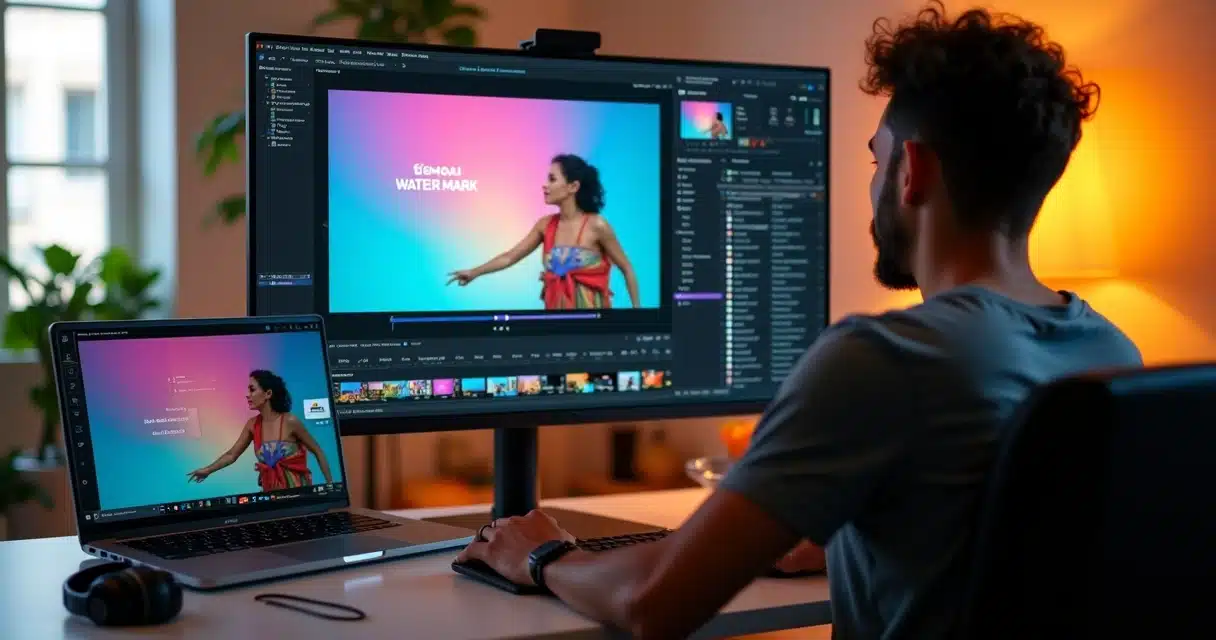
Anyone who works with short videos has gone through a well-known scenario. The person finishes a promising cut, opens the exported file, looks at the result, and notices the watermark in the corner. The impact is immediate. The video loses part of its visual value, becomes less clean, and, in many cases, less suitable for commercial use.
At this point, the search for watermark removal, usage policy, plans, prices, and correct ways to export without this element arises. The doubt is fair. But it needs to be handled carefully.
The official way to remove a watermark from a platform is by subscribing to the paid plan that grants this right.
When a tool offers a free version, the presence of the watermark usually makes part of the service’s rules. Trying to erase this mark through unauthorized means can violate terms of use, result in quality loss, and even bring legal risks. Therefore, the safest path is not in dubious tricks. It lies in understanding the platform’s policy and choosing an option that makes sense for the wallet and routine.
For Brazilian creators, this topic becomes even more sensitive when prices appear in foreign currency, with variable charges, incidence of IOF, and distant support. This is where national solutions gain ground. VDClip enters this scenario as a direct alternative for those who want to create viral cuts with AI, subtitles, face tracking, brand kit, internal editor, and mass publishing, with charges in reais and 24-hour support in Portuguese.
Free watermark comes with rules. Paid plan has a license.
Why does the watermark appear?
The watermark exists for a simple reason: it signals that the video was created in a free or limited mode. In many online services, this is the trade-off: the person uses part of the tool without paying but accepts the display of the platform’s visual identity upon export.
However, this watermark can have a significant negative impact on social media. Videos with editor watermarks often have their reach compromised, as many platforms have AI to detect these types of watermarks, reducing the delivery of marked content. The presence of the watermark can discredit the material and hinder content delivery, reducing engagement and visibility.
This is not just a technical detail. It is part of the product’s commercial policy. Generally, the logic works like this:
- The free plan allows testing basic features.
- Export may come with a logo, seal, or identification.
- More advanced functions are reserved for paid plans.
- The removal of the watermark occurs only under official conditions.
In practice, those who search for “how to remove the watermark from Opus Clip” usually want one of these things: to understand if there is a native option without the seal, to know which plan releases the clean video, or to find out if there is an alternative with better cost in Brazil.
In most platforms, the watermark is not an error. It is a limitation provided in the free plan.
How to remove the watermark correctly
The short answer is straightforward. If the platform applies a watermark on the free plan, the legal removal occurs by subscribing to the plan that allows export without a watermark. Any other shortcut, such as forced cropping, blurring, overlaying, or using tools to erase the identification, tends to create problems.
These problems appear on various levels.
- Loss of framing when cropping the image.
- Visual drop when covering the corner with artificial elements.
- Risk of non-compliance with terms of use.
- Less professional results for campaigns and clients.
There is also a practical point that many people notice late. The time spent trying to hide a watermark often costs more than choosing a solution that already exports correctly. An editor or social media manager who publishes every day feels this quickly.
Removing a watermark without authorization can be misuse, even when the person has already edited the content on their own.
For those who wish to follow a safe path, the process is usually this:
- Read the platform’s policy on export and usage rights.
- Confirm if the free plan includes a mandatory watermark.
- Check which paid plans remove the watermark.
- Compare monthly cost, support, billing currency, and extra features.
This type of analysis avoids frustration and helps in choosing a tool that remains useful after the initial test.
What to observe in the watermark policy
Many people focus only on the export button. However, the right decision begins earlier. The watermark policy is usually tied to the plan, the purpose of use, and the rights over the final file.
When evaluating this, it is advisable to pay attention to some points:
- If removal is only available in a paid plan.
- If there are limits on processed minutes per month.
- If there are differences between personal and commercial use.
- If support clearly explains when the watermark appears.
- If billing occurs in dollars or reais.
This last part weighs heavily in Brazil. A seemingly low price may vary on the card and become higher due to conversion and IOF. In high-volume routines, this makes a real difference.
For this reason, many creators have started to prefer platforms that work with pricing in reais and local support. VDClip was designed with this focus. In addition to reducing billing doubts, it provides a more direct journey for those who want to edit, refine, and publish without relying on multiple separate tools.
Anyone who wants to better understand this scenario can see an alternative to Opus Clip with AI for short videos, focusing on creators who need predictability and support in Portuguese.
 Plans, prices, and real cost for Brazilians
 Plans, prices, and real cost for Brazilians
When someone seeks information about plans and prices, the doubt is rarely just financial. It also involves predictability. No one likes to sign up for something at one price and later discover extra fees, international billing, or hidden limitations in usage volume.
In the case of foreign platforms, the final cost can vary due to factors such as:
- Fluctuation of the dollar.
- IOF on international cards.
- Recurring charges that are hard to predict.
- Support outside Brazilian hours.
That is why a national alternative can be more advantageous even when the entry price seems similar. At VDClip, billing in reais helps maintain clarity in the budget. There are no currency surprises. And this matters for those who rely on continuous production, whether in agencies, podcasts, clip channels, or traffic operations for clients.
Low price only makes sense when the final cost remains clear until the invoice.
Besides the price aspect, it is worth noting what the plan truly delivers. The modern creator does not just need to cut video. They want automatic subtitles, titles, hashtags, formats for social media, an internal editor, scheduling, and consistency.
In the case of VDClip, this logic appears in a very practical way:
- AI-generated cuts.
- Face tracking and face-motion.
- Dynamic subtitles and translations.
- Brand kit with logo, intro, and transitions.
- Audio cleaning, b-roll, and automatic emojis.
- Professional editor right on the platform.
- Mass posting and scheduling for social media.
Anyone wishing to learn about these features in the context of cut automation can visit the page about automated cuts with AI.
Correct alternatives for those who don’t want a watermark
Not everyone wants or can start by signing up for an international tool. And that is normal. There are creators in the testing phase, companies with controlled budgets, and teams wanting to validate a workflow before closing a plan.
In this scenario, there are two legitimate routes:
First, subscribe to the paid plan of the current platform if the set of features makes sense and if the removal of the watermark is provided for in it. Second, migrate to an option that delivers adequate export, more features, and better cost for the local reality.
What usually does not work well is insisting on shortcuts to erase the watermark externally. In some cases, the video loses so much in finishing that the savings disappear. In others, the person gets stuck in a workflow full of rework.
A common case helps illustrate. A small marketing team records a 40-minute interview. The intention is to take eight cuts for Reels, Shorts, and TikTok. The editor automates the selection but discovers the watermark only at the end. The team then tries to crop, reposition, mask, and export again. What seemed quick becomes a delay. The schedule slips away.
Rework costs more than a well-chosen subscription.
For those who want to avoid this scenario, VDClip offers a well-aligned option for the Brazilian market. It was designed to transform long videos into short clips simply, with real automation and without depending on adjustments scattered across various programs. Anyone comparing paths can see the viral clip generator by AI and understand how the workflow can become smoother.
When a Brazilian alternative makes more sense
There is one point that many creators notice after a few months. The problem was not just the watermark. The problem was the whole set: cost in foreign currency, a less natural interface for the team, distant support, and a lack of resources adapted to the local routine.
In this scenario, a Brazilian platform can deliver a more stable experience. VDClip was designed for this. Its focus is on simplifying the production of short videos with AI, without exaggerated promises and with resources that genuinely work in the hands of the user.
A good alternative does not just replace the export seal. It improves the entire production flow.
Among the points that make a difference in daily life, the following stand out:
- 24-hour support in Portuguese.
- Prices in reais, without extra conversion fees and no IOF.
- Stable tools, focused on continuous use.
- More options for visual customization for brands and creators.
- Internal editor to refine the result without leaving the platform.
For those seeking a broader view on editing with AI and comparing workflows, it’s also worth checking out the page on AI video editing alternatives.
The weight of short videos in engagement
 The weight of short videos in engagement
It is not an exaggeration to say that short videos have become part of the digital routine of brands and creators. The frequent publication of these formats helps reach, message repetition, and presence on social media. When production stalls due to slow editing or limited exports, consistency drops.
Data from a UFMG study on audiovisual channel performance shows a high interaction rate of 79.7% on visual platforms like Instagram. This demonstrates why the market seeks tools that speed up the creation of visually appealing cuts.
In this context, correctly removing the watermark is not just an aesthetic issue. It is a positioning decision. A clean, subtitled, and well-framed video conveys more care. If it is also published quickly, the rhythm gain becomes clear.
Anyone producing for Reels can learn more about this flow in editing tips for Reels with AI. The material aligns well with the need to transform long videos into consistent cuts, without getting stuck in the final stage.
What VDClip delivers beyond export
In many situations, a person starts by looking for only “how to remove a watermark”. However, upon closer inspection, they realize they need much more than that. They need speed, quality, and control.
This is where VDClip stands out in the Brazilian market. The platform brings together functions that help from start to finish:
- Automatic identification of the most relevant snippets.
- Precise cuts with AI for long videos.
- Face tracking to keep the focus on the face.
- Synced subtitles and customizable styles.
- Brand kit with logo, intro, transition, and visual identity.
- Audio cleaning and b-roll insertion.
- Automatic emojis to give rhythm to the content.
- Professional editor within the platform.
- Mass posting and scheduling.
VDClip does not limit itself to removing barriers from export. It helps transform long content into ready-to-publish material.
This makes a difference for podcasters, companies, influencers, clip makers, agencies, and freelance editors. Instead of just solving the watermark issue, the person reorganizes the entire production process. And this usually brings more consistency.
Anyone wishing to explore the platform can access https://vdclip.com and see how the flow works in practice.
How to decide without wasting time
When comparing plans, policies, and alternatives, the best decision often comes from simple questions. A person needs to know whether they want just a casual test or a stable publishing flow. This answer changes everything.
An objective criterion can help:
- If the goal is just to test, the free version may suffice, provided the watermark is accepted.
- If the goal is to publish with a professional appearance, the paid plan or migration to another solution tends to be the right path.
- If the goal is to scale volume in Brazil, it is worth prioritizing pricing in reais, local support, and complete automation.
When these points are taken into account, the choice ceases to be just about removing the video seal. It becomes about building a content routine that does not rely on improvisation.
For many creators, testing VDClip at https://vdclip.com ends up being a natural response, as the platform combines intelligent cutting, refined editing, and publishing, with support in Portuguese and a real focus on the Brazilian market.
Conclusion
 Conclusion
The removal of the watermark from Opus Clip, as a rule, should follow the official path of the platform itself. If exporting without a watermark is part of a paid plan, that is the correct way to release the video. Trying to erase the mark externally may reduce quality and create misuse.
The safest decision is to choose a platform whose plan, price, and watermark policy are clear from the outset.
For the Brazilian creator, this care goes beyond export. It involves billing currency, support, stability, and resources to maintain frequency on social media. At this point, VDClip appears as a more advantageous option, with prices in reais, 24-hour support in Portuguese, advanced cutting features with AI, face motion, subtitles, brand kit, internal editor, and mass scheduling. Anyone looking to produce short videos with more security and quality can learn more about VDClip at https://vdclip.com and take the next step with a platform designed to grow alongside the content.
Frequently Asked Questions
How to remove watermark from Opus Clip?
The correct way to remove the watermark is to subscribe to the paid plan of the platform itself when this benefit is provided. Cropping, blurring, or erasing the watermark through external means is not the official solution. Those who want to avoid this type of limitation can also consider an option like VDClip, which offers a workflow more adapted to Brazil.
What are the plans and prices of Opus Clip?
Plans and prices may change over time, so one should check the official platform page directly before signing up. When doing this calculation, it is advisable to include currency variation, international charges, and IOF. For the Brazilian audience, the real cost may be higher than the initially advertised price. In contrast, VDClip works with billing in reais and without these extra fees.
Is there a free alternative to Opus Clip?
Yes, there are free paths and also paid options with better predictability for Brazil. However, free versions usually maintain limitations, including watermarks. If the goal is to publish content with a professional appearance, it is worth seeking a solution that combines good pricing, stability, and adequate export. VDClip can be tested as an alternative with more features for cuts, subtitles, face tracking, and publishing.
Is it legally allowed to remove a watermark?
This depends on the platform’s terms of use. Generally speaking, when the watermark is part of the free plan, removing it without authorization is not the permitted way. Legally and contractually, removal should occur only when the platform grants this right. Therefore, it is best to follow the official policy or choose a tool that already meets the project’s needs.
Is Opus Clip worth it for professional editing?
This varies according to the type of use, budget, and team requirements. For those who need consistency, visual customization, support in Portuguese, pricing in reais, and mass publishing, it may make more sense to choose a solution more aligned with the Brazilian market. In professional operations, it is not enough to cut videos. Stability, control, and a complete workflow are necessary. In this scenario, VDClip presents itself as a safe and advantageous choice for those looking to transform long videos into short clips practically.