
A webinar can yield several short videos when the recording is organized by complete ideas, not just divided into equal intervals. For marketing teams, educators, experts, and creators, the process combines editorial selection, vertical adaptation, subtitles, and planned publishing. Thus, each clip delivers value even for those who did not attend the original session.
What to Prioritize When Repurposing a Webinar
- Start with the message: choose excerpts with a specific and understandable idea without the entire recording.
- Edit for the audience: remove pauses, long introductions, and references that depend on absent context.
- Review the format: adjust the framing, subtitle reading, and text positioning on screen.
- Plan a sequence: publish clips with different objectives, instead of dumping them all on the same day.
- Measure and learn: compare results by theme, opening, and call to action, not just by views.
The goal is not to turn every minute into a video. It is to identify excerpts that answer questions, explain a process, or present a useful perspective. A single event can generate content for discovery, education, and relationship-building, provided each piece has its own purpose.
Why Clips Extend the Value of the Event
A webinar concentrates preparation, specialized knowledge, and examples in a recording that often remains limited to the initial audience. By selecting self-sufficient passages, the team reintroduces that knowledge to people who did not attend live and creates materials for different stages of the relationship with the audience.
A clip also serves as a sample of the complete content. A clear answer can lead someone to watch the full recording, download a material, or attend the next event. This action needs to be coherent with the topic of the video, and not inserted merely to promote the brand.
Repurposing does not guarantee reach or virality. Performance depends on the topic, execution, audience, and distribution. The practical advantage lies in creating more pieces from an already conducted production and learning which explanations spark interest.
How to Select Excerpts That Work Without the Full Recording
The best clip often has an editorial unity: it presents a question, answers or demonstrates something, and concludes without requiring the person to know the entire conversation. A pause, a change of speaker, or the end of a slide are not, by themselves, good cut points.
Look for Signs of Value, Not Just Exciting Moments
A speech can be useful even without a big reaction live. Look for specific answers, comparisons, demonstrations, short stories, and recommendations that the audience can apply. Also mark recurring questions from the chat, as they reveal concrete doubts that can guide the beginning of a video.
- A simple definition for an important concept.
- A common mistake and a practical alternative.
- A step of a process explained with an example.
- A short answer to an audience question.
- A well-founded opinion that helps understand a problem.
How to Find the Best Moments in the Recording
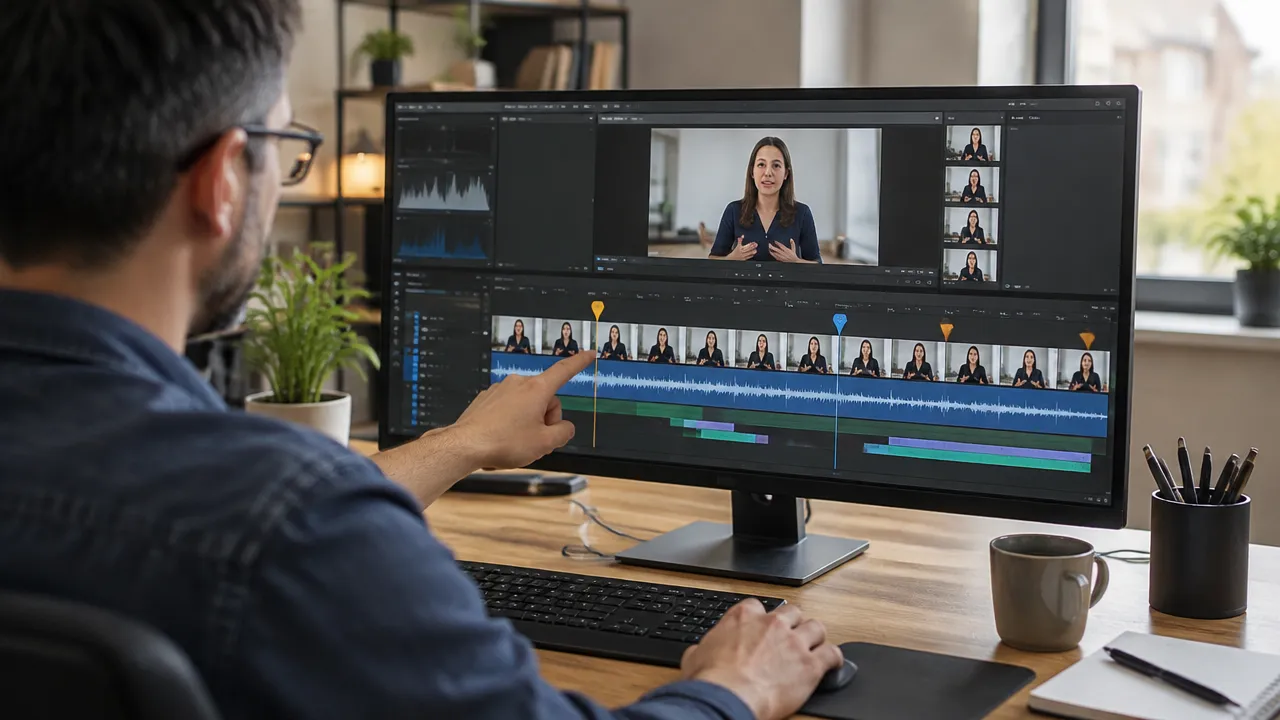
A transcript with time stamps reduces manual searching and helps to find themes, questions, and phrases that deserve review. Still, the final selection should consider audio and image: a transcript does not show if speech was interrupted, if a graph is essential, or if the speaker is responding to something that does not appear in the cut.
- Gather the materials: recording, presentation, script, chat, and questions sent before the event.
- Do an initial read: identify the subjects and note the approximate times.
- Create a list of candidates: note the idea of each excerpt and the audience that may be interested.
- Review each candidate: confirm context, audio, image, names, and statements.
- Prioritize: choose the clips that best combine utility, clarity, and editorial objective.
To speed up the screening, VDClip can locate highlights, generate transcripts, and suggest cuts with potential scoring. These suggestions serve as a starting point for editorial evaluation, not as a guarantee of performance. The person in charge still needs to check if the selection accurately represents the conversation.
How to Structure Each Short Video
A clear cut presents the subject early, develops a single idea, and ends with a conclusion or next step. If the person has to wait several seconds to discover the topic, the editing can start closer to the answer, as long as it does not eliminate necessary information.
Use a Simple Three-Part Structure
- Opening: formulate the question, present the problem, or introduce the statement to be explained.
- Development: maintain the justification, example, or demonstration that supports the idea.
- Closing: conclude the reasoning and, if it makes sense, invite to watch the full session or consult a related resource.
For example, a webinar on customer service can yield a clip that starts with “How to reduce vague responses in support?”, shows guidance on asking details from the customer, and ends with a diagnostic question. The example is just a model of structure: the excerpt needs to reflect the content actually presented in the event.
Avoid joining separate sentences in a way that alters the meaning or makes the speaker seem to assert something different. When a clip uses non-consecutive excerpts, check if the transition remains faithful to the original argument and if the result does not suggest a conclusion that was not presented.
How to Adapt the Recording to Vertical Format
A webinar is usually recorded in horizontal format, with slides, participants, and interface elements. The vertical version requires choosing what should occupy the screen at each moment. If there is only one person speaking, the framing can prioritize the face; if the explanation depends on a graph, it needs to remain legible.
YouTube describes Shorts as short vertical videos, a format that can be created from an idea or already recorded content. The platform also explains how to publish vertical videos as Shorts. As requirements and features of each network may change, check the available options on the channel before preparing a batch delivery.
- Reframe the person so that important face and gestures remain visible.
- Reposition slides or demonstrations, rather than reducing a whole screen to the point of being illegible.
- Review the result on a phone, not just on the editing monitor.
- Leave space for subtitles and social media interface elements.
- Export a clean version that can be adapted to different channels.
How to Review Subtitles and Accessibility
Correct subtitles help to follow the speech and make content more accessible to deaf or hard-of-hearing people. W3C explains that, for pre-recorded audiovisual content with relevant audio, the subtitles should present the speech and important sound information. The initiative also recommends reviewing recordings of live broadcasts before publishing them, as detailed in their guide on subtitles for audiovisual content.
Automatic transcription may confuse proper names, acronyms, numbers, and specialized vocabulary. Before publication, review these points by listening to the excerpt, check synchronization, and break long sentences into easy-to-follow blocks. If the audio contains important information beyond the speech, such as a sound that changes the meaning of the scene, evaluate whether it also needs to be indicated.
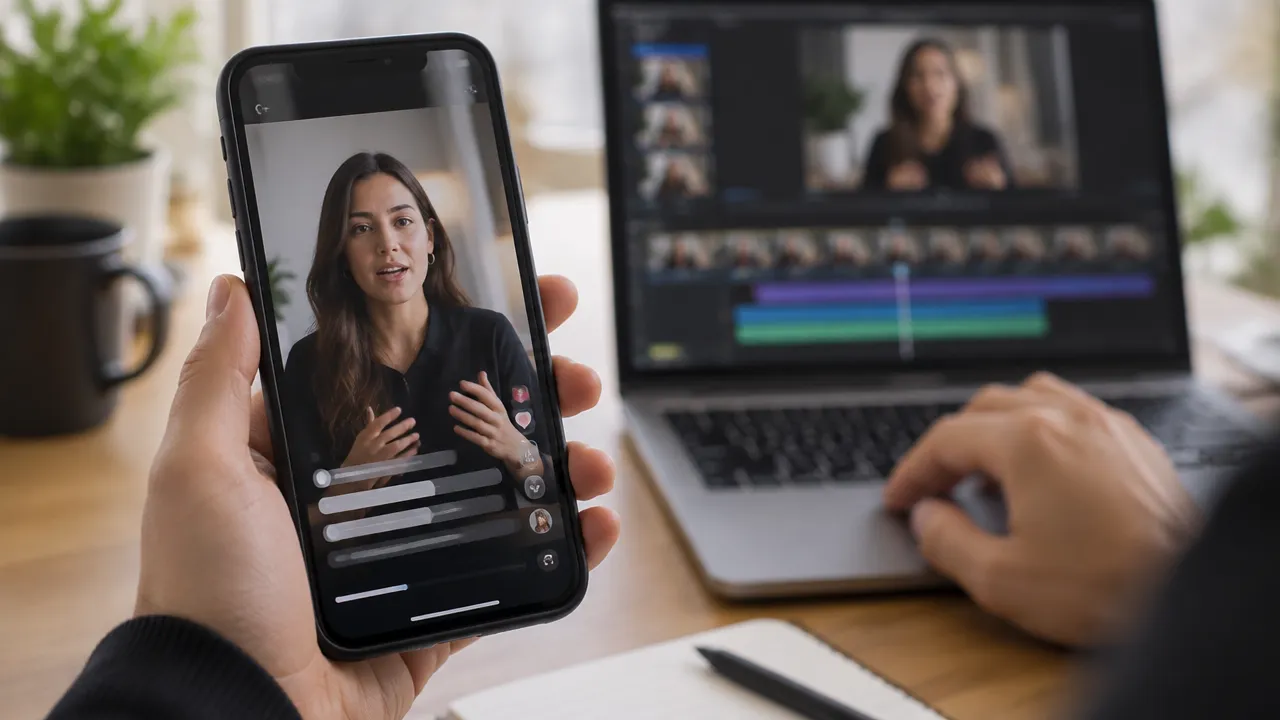
Subtitles embedded in the video remain visible on different players, but do not necessarily replace selectable subtitle files when these are needed. The choice depends on the channel and intended use. In any format, check contrast, size, and position so that the text does not cover faces, graphs, or important elements.
How to Organize a Series from a Single Webinar
An editorial series transforms the recording into publications with defined functions. Instead of launching similar cuts in sequence, distribute different perspectives: a basic doubt, a demonstration, a frequent objection, and a synthesis of the topic. This gives unity to the campaign without forcing each video to repeat the same call.
| Type of Cut | What It Delivers | Example Opening |
|---|---|---|
| Quick Response | Resolves a specific doubt | “What changes when…” |
| Demonstration | Shows a step or procedure | “See how this step works” |
| Recurring Error | Points out a risk and an alternative | “A common mistake when…” |
| Expert Perspective | Explains a criterion or interpretation | “Before choosing, evaluate…” |
Associate each piece with a useful destination: registration for another event, page with the recording, supplementary material, or conversation with the team. If the recording contains internal information, participant data, or third-party material, check permissions and applicable rules before editing and distributing the cuts.
How to Publish, Measure, and Improve Future Cuts
A consistent publication depends on a simple flow: approve the editing, prepare text and thumbnail, choose the channel, and schedule the date. The frequency needs to fit the team’s capacity. A realistic calendar, with space for review, is usually more sustainable than an intense sequence that cannot be maintained.
Record the topic, opening, call to action, network, and date of each video. Then, compare results within each platform using the available indicators, such as retention, completion, comments, shares, or clicks. Different metrics answer different questions: views show distribution, while retention helps locate points where interest dropped.
VDClip brings together tools to batch edit, adjust framing and subtitles, schedule publications, and track social media data. A team can also use potential scoring as a secondary criterion for organizing the review queue. The decision to publish should consider audience appropriateness and material quality, in addition to any automated forecasts.
How to Use Automation Without Losing Editorial Control
Automating repetitive tasks helps turn a long recording into an initial queue of options. Automation can locate subject changes, suggest excerpts, remove silences, and generate subtitles. The gain depends on a clear review stage, as automatic cuts may leave incomplete references, transcription errors, or unnatural transitions.
- Define a person responsible for approving the sense and accuracy.
- Review speeches about numbers, names, recommendations, and sensitive topics.
- Confirm that camera cuts and framing changes do not hide information.
- Save versions and criteria so that others understand what was changed.
VDClip combines highlight detection, subtitles, reframing, and publishing features in an editing flow. This can reduce manual steps, but does not replace knowledge of the subject, authorization to distribute the material, or evaluation of the message. The best process uses automation to speed up screening and people to decide what deserves to represent the webinar.
Frequently Asked Questions
How to Transform a Webinar into Clips for Social Media?
To transform a webinar into clips, transcribe the recording, mark excerpts with a complete idea and a clear beginning, then adapt each selection to the vertical format. Review framing, subtitles, and context before publishing. The complete recording can yield different videos, as long as each clip makes sense on its own.
Which Moments of a Webinar Are Worth Cutting?
The best excerpts usually present a direct answer, a practical example, a recurring mistake, a demonstration, or a question that generates curiosity. Choose moments that communicate a complete idea without relying on lengthy prior explanations. Avoid selecting a segment just because there was applause or a catchphrase.
What Should Be the Duration of a Webinar Cut?
There is no single ideal duration for all cuts. The excerpt should last as long as necessary to present the idea clearly, without pauses or digressions. After editing, watch the video and check if the message remains understandable and engaging from start to finish.
How to Subtitle Clips of a Webinar?
Subtitles should follow the speech, maintain good legibility, and respect names, technical terms, and punctuation. Automatic transcription helps speed up the work, but it requires human review. It is also important to position the text without covering faces, demonstrations, or essential information on the screen.
What Is the Difference Between a Webinar and a Live?
A webinar is usually a presentation or online session organized around a theme, with space for questions and audience participation. Live is a broader term for live broadcasting. In practice, a webinar can happen live, and a live can have an educational or presentation format.