
Short videos engage when they present a clear idea, capture attention from the start, and deliver what they promise. This format caters to creators, educators, podcasters, and marketing teams who need to adapt content for social media. A good process starts with the clip’s goal and ends with analyzing audience reactions.
What Makes a Short Video Work?
- One Idea Per Video: each clip should teach, explain, or showcase something specific.
- A Direct Start: the first scene already presents a question, a result, or an interesting situation.
- A Useful Conclusion: the audience receives the promised answer or next step.
- A Metric Aligned with the Goal: retention, comments, and conversions reveal different aspects of performance.
A short video is a content format, while Shorts is the name of a specific area and format on YouTube. The platform classifies as Shorts square or vertical videos of up to three minutes, according to the current duration rules. Other networks may adopt their own limits, so the team should check the channel requirements before publishing.
How to Create a Script that Captures Attention?
A short script should start with the most interesting information, not with a long introduction. The team can sum up the idea in one sentence and organize the rest as a simple sequence: context, explanation, and conclusion.
- Choose a Specific Question: for example, “how to reduce echo in a podcast recording?”.
- Open with Tension or Benefit: “The room echo can be reduced without changing the microphone.”.
- Show the Answer: present a concrete action, demonstration, or brief explanation.
- Close with a Next Step: summarize the tip or invite the audience to ask a related question.
In a class, the hook can be a common student question. In a coaching call, it can be guidance that applies to a concrete situation. For a podcast, an unexpected statement can spark curiosity, as long as the clip provides enough context not to distort the original conversation.
How to Record and Edit for Vertical Screen?
A well-prepared vertical recording keeps the subject visible and the audio understandable. The framing should prioritize the face, the product, or the main action, with enough space so that subtitles and interface elements do not cover important information.
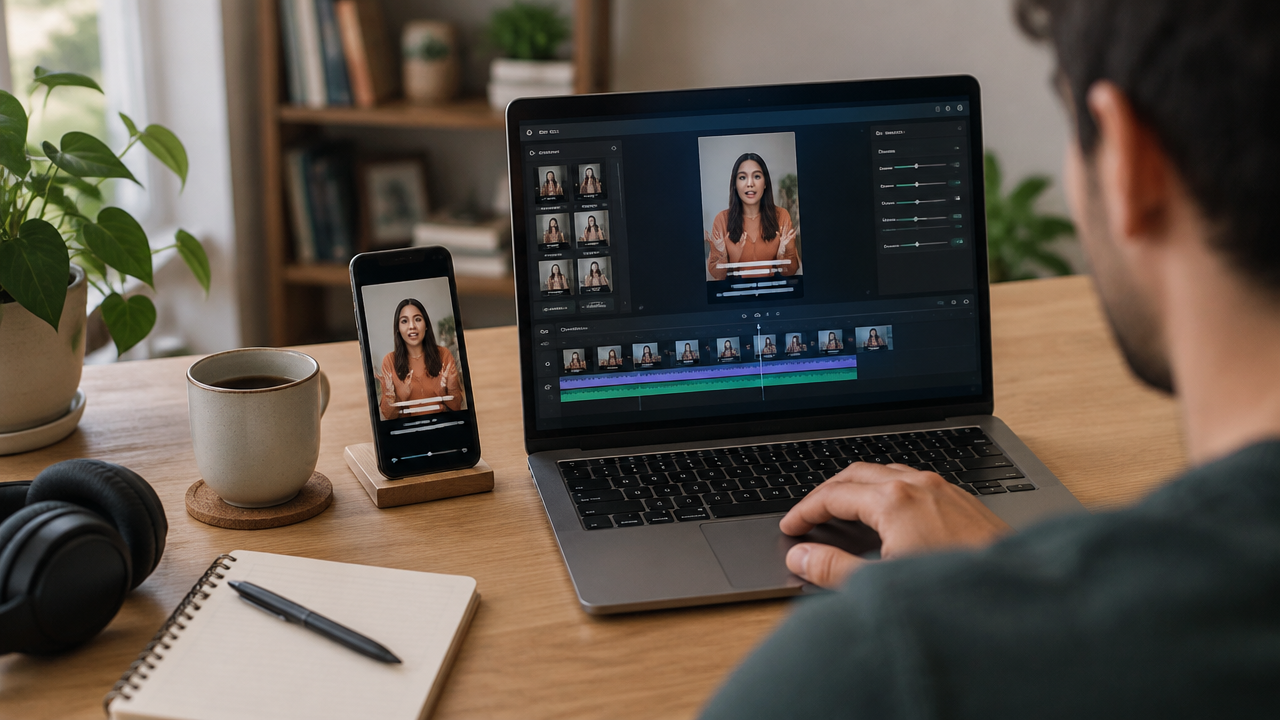
In editing, objective cuts help remove long pauses and repeated sections. Revised subtitles make it easier to follow along without audio and provide context for viewers in quiet environments. The team should also check proper names, technical terms, and the synchronization of words before publishing.
To transform existing recordings, VDClip can identify highlight moments, generate subtitles, adjust the participant’s framing, and remove silences. These features speed up the preparation of vertical versions, but human review remains important to preserve the meaning and tone of speech.
What Duration and Frequency Help Performance?
The appropriate duration is one that allows developing the idea without empty introductions. Although Shorts on YouTube can last up to three minutes, a simple tutorial may work better in less time. An explanation with a demonstration may need more seconds to clearly show the steps.
Frequency should also be realistic. Instead of imposing a daily publication, the team can choose a pace they can maintain and reserve time to review results. The Shorts upload guide recommends a publishing schedule that is sustainable.
A production routine can group tasks: selecting ideas, recording several segments, and editing the clips in one session. This helps maintain consistency without turning the calendar into an isolated quality goal.
How to Know if the Video Generated Engagement?
Views alone do not explain why a video worked. The team should compare the metrics with the goal: retention to evaluate interest, comments to observe conversations, and clicks or contacts to measure business actions.
In YouTube Studio, the “chose to watch” metric compares how many times people watched the Short with how many times they swiped to the next one. The Shorts analytics panel also aggregates data such as views, comments, and subscribers. Since each platform presents its own indicators, the interpretation should consider the channel and the purpose of the publication.
To test improvements, the team can compare videos on similar topics and change one element at a time, such as the opening line or the rhythm of the cuts. If the audience abandons the clip before the explanation, it’s worth revising the opening; if they watch but do not comment, there may be a lack of a specific question or a relevant invitation.
How to Repurpose Long Videos Without Losing Context?
A long recording can yield several clips when each segment works as an independent piece. The team can look for direct answers, visual demonstrations, moments of humor, or tips that solve a specific doubt. The chosen segment should include the necessary context, not just a catchy phrase taken from a larger conversation.
After selection, the work includes adapting the framing, reviewing subtitles, and building an opening that makes sense for those who haven’t seen the original material. The adaptation of long videos can also guide the choice of moments with intrinsic value, rather than turning each clip into a call to watch the full content.
VDClip allows organizing batch edits and preparing publications of videos created inside or outside the platform. With performance analysis and scheduling in the same flow, the team can track which themes attract attention and plan new versions without relying on manual editing for each segment.
Frequently Asked Questions
How long can a YouTube Short be?
On YouTube, Shorts can be up to three minutes long, as long as they are square or vertical and meet the platform’s rules. This is the maximum duration, not a goal. A shorter clip may work better when it delivers the complete idea without pauses or explanations that don’t add value.
How to make a short video go viral?
There is no formula that guarantees virality. An opening that sparks curiosity, an easy-to-understand idea, and a rhythm that keeps the promise help capture attention. After publishing, the team can observe retention, comments, and shares to identify patterns and test new videos.
Is it necessary to publish short videos every day?
It is not necessary to publish every day. A sustainable frequency helps maintain production without compromising quality or the team’s routine. Rather than following a fixed rule, it’s worth defining a feasible calendar and comparing results of similar formats and themes over time.
Can I turn a long video into several clips?
Yes. A long video can yield several clips, as long as each segment has enough context and presents a complete idea. The team can select tips, answers, or demonstrations, adjust the framing for vertical format, review the subtitles, and edit each segment to work independently.
What metrics show if a Short engaged?
The team can track retention, views, comments, and shares, in addition to new followers or actions related to the publication’s goal. In YouTube Studio, the metric that compares who watched with who swiped to another video helps evaluate the start of the clip.